


TV Remote Control - Smart TV
4.2111.00 Reviews
App Specs
- Version
- 1.3.6
- Updated On
- License
- Free
- Downloads
- 1,000,000+
- Developer
- Guanling Interactive
- Categories
- Tools
- Platform
- Android
Screenshots
 Analysis by AppCompare
I like phone-based remote controls when they solve a small problem without creating a bigger one. TV Remote Control - Smart TV is aimed at exactly that moment: the physical remote has disappeared, its batteries are flat, or you simply want to control the television from the phone already in your hand. It is a free tools app from Guanling Interactive, with a broad Everyone age rating, and its basic promise is refreshingly easy to understand.
My overall impression is that it is most useful as a practical backup rather than an automatic replacement for every television remote. The idea is convenient, but remote-control apps depend heavily on the relationship between the phone, the TV, and the home network. That makes setup and compatibility more important than the short store description suggests. I would consider it for a household that regularly misplaces its remote, while someone who wants guaranteed control over several different devices should approach it more carefully.
What the app is really for in daily use
The app belongs in the tools category, not entertainment, because its value comes from removing friction around another device. In my experience, the best use is not sitting down for a long viewing session and replacing every button on a traditional controller. It is handling quick tasks: lowering the volume while someone is sleeping, pausing a program from across the room, switching inputs, or finding a way to navigate when the original remote is nowhere to be found.
A realistic example is a shared living room. One person is watching television, the remote has slipped between cushions, and a phone is already nearby. Opening the app and trying to regain control can be faster than searching the entire sofa. The same applies when a guest room television is rarely used and its controller has been stored in an inconvenient drawer. In those situations, a phone remote feels less like a novelty and more like a useful household spare.
The app has attracted over a million installs and holds a 4.2 average from around 6,300 ratings. Those figures suggest that the concept is useful to a substantial number of people, but they should not be read as a promise that every television will behave identically. Remote apps are unusually sensitive to device combinations, so your own setup matters more than popularity alone.
Trust starts with what you can actually check
Because a remote app interacts with a television and may operate on a home network, I pay attention to trust before convenience. The developer is Guanling Interactive, and the application is free to download. That lowers the barrier to trying it, but free does not automatically mean frictionless or completely cost-free in every situation. The app includes optional in-app purchases, with individual items ranging from a few dollars to considerably more, so I would inspect any purchase screen before confirming anything.
I also prefer to make a clear distinction between what the app visibly asks me to do and what I might assume it can do. A remote-control tool needs a way to communicate with the television, but I would not treat that general requirement as proof of a particular permission, data practice, account system, or security design. The sensible approach is to read each permission prompt, check the wording, and decline anything that does not appear necessary for the task I want to perform.
Worth Reading Before You Choose

EA SPORTS FC Mobile 26 Is a Bigger Football Game, but It Takes Time

Flipboard Shows What News Apps Must Do Beyond the Feed

Switching to Android Auto Means Rethinking Your Driving Routine

Google Calendar Makes a Crowded Week Easier to Manage

Ludo King Makes the Most of the Minutes Between Plans

Baby Panda World Brings Quick Play to Modern Phones, but Its Game Library Feels Busy
This is especially important when an app is used on a family device. A phone may contain personal accounts, photographs, messages, and saved network details. I would install the remote only from the official app marketplace, review its visible privacy and permission information there, and avoid granting access simply because the app says it would make setup easier. Convenience should not replace informed permission choices.
The age classification is Everyone, which makes the app broadly suitable from a content perspective. That label does not tell me how well it will fit a particular television, nor does it answer questions about network behavior or optional purchases. I see it as a statement about content suitability, not a complete trust assessment.
Setup is the first serious test
The first thing I would test is whether the phone and television can discover one another in the same home environment. If the app presents a device-selection process, I would choose the television carefully rather than tapping the first result. A neighbor’s device or a second screen in the home could make the wrong choice confusing, particularly in an apartment or a house with multiple smart televisions.
If the television displays a pairing request or confirmation code, I would verify that the request appears on the intended screen before accepting it. That small pause is worthwhile. It prevents the common mistake of pairing with the wrong device and gives me a clearer idea of when the phone has actually gained control. If the app instead relies on a different connection method, I would follow the on-screen instructions rather than guessing which network or device should be selected.
One useful habit is to perform the first setup while standing close to the television with the physical remote available. That gives me a fallback if the app needs an on-screen confirmation, and it avoids being stranded halfway through the process. Once the connection works, I would test a low-risk command such as volume adjustment before relying on the app to change inputs or navigate a settings menu.
The current version is 1.3.6, and the app requires at least iOS or Android equivalent version 11. Keeping the phone’s operating system and the application up to date is sensible, but I would not assume an update will solve every compatibility problem. If the TV is older, uses an unusual smart-TV platform, or is connected differently from the phone, the limitation may be in the device relationship rather than the app itself.
Where a phone remote is genuinely better
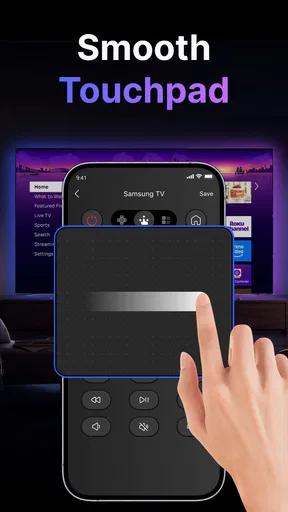
A touchscreen remote has a few practical advantages over a physical controller. The phone is usually easier to locate because it is carried throughout the day. It also avoids the familiar problem of worn buttons, missing batteries, or a remote that has been accidentally placed in another room. For occasional use, that can be enough to justify keeping a remote app installed.
There is also a useful accessibility angle. A person who finds a small, cluttered physical remote difficult to read may prefer a larger phone screen, provided the app presents controls clearly. I would judge that after opening the interface rather than assuming every touchscreen layout is automatically easier. A screen can be more legible, but it can also hide controls behind pages or gestures that are slower than a dedicated button.
The phone is particularly convenient for short interactions. If I only need to pause, mute, or adjust volume, reaching for the device already in my hand is efficient. It can also be easier when the television is mounted on a wall and the original controller has been left on a coffee table. These small moments are where I think the app makes the strongest case for itself.
There is a less obvious advantage for households with multiple people: a phone remote does not have to remain in one fixed place. Each person may be able to use their own device, depending on how the television connection works. I would still test that arrangement rather than assume unlimited simultaneous access. If several people need control at once, the experience may become confusing, especially when one phone changes the channel while another person is adjusting sound.
Where the traditional remote still wins
A physical remote remains better for long viewing sessions. It has tactile buttons, can be used without looking down, and does not compete with phone notifications or a low battery. When I am watching a film in a dark room, I would rather feel for mute or volume than unlock a bright screen and search for the right control.
The physical controller also avoids some phone-specific interruptions. A call, a message, an operating-system prompt, or an accidental swipe can take attention away from the television. A dedicated remote is single-purpose by design. That simplicity is valuable, especially for children, older family members, or guests who should not have to learn a new interface before changing the volume.
Another trade-off is reliability. A physical remote communicates directly through its intended hardware, while a phone app may depend on the television being reachable and correctly paired. If the television has just restarted, the network has changed, or the phone is connected somewhere else, the app may not be available precisely when it is needed. I would keep the original remote accessible until I had tested the phone alternative over several ordinary days.
For advanced home-theater setups, I would also compare this app with the official remote application made by the television manufacturer, if one is available for the exact model. A manufacturer app may offer more model-specific behavior or clearer support documentation. On the other hand, a general tool can be appealing when I want a simple backup and do not want to install a separate application for every brand. The better choice depends on whether broad convenience or device-specific depth matters more to me.
Permissions, accounts, and moments that deserve care
I would pay close attention to the point where the app asks to discover or connect to devices. That is the moment when the phone begins moving from a standalone screen to a controller for another device. I would read the prompt, confirm that the television is mine or that I have permission to control it, and avoid approving a connection while using an unfamiliar public or shared network.
I would also look for any account request and ask whether it is genuinely needed for my intended use. A basic remote function does not automatically require me to create an account, but I would not claim that every installation follows the same path without checking the current screens myself. If an account is offered, I would review what information is requested, use a unique password, and consider whether the convenience is worth the additional account to manage.
Data-sensitive moments can appear outside the initial setup. A device list may reveal the names of televisions in the home. A connection history, if shown, could make it easier to identify rooms or household equipment. I would avoid naming devices with personal information and would remove old entries if the app provides a visible way to manage them. That is a small privacy habit, but it makes shared phones and guest access less revealing.
I would be equally cautious with purchase prompts. The app is free, yet it offers in-app items priced from $3.99 to $94.99 each. That wide range makes it important to distinguish ordinary remote use from optional paid functions before tapping a purchase button. I would check the exact amount, the billing wording, and the account used by the app marketplace. On a family phone, purchase authentication is especially worthwhile.
When finished, I would review the phone’s app permissions and revoke anything that no longer seems necessary. I would also remove the app if I stopped using it rather than leaving an unused controller connected indefinitely. These steps are not accusations against the developer; they are sensible controls for any application that can interact with another device in the home.
How I would make the experience less frustrating
My first practical tip is to treat the application as a backup until it proves itself. I would not begin by putting the original remote in a drawer. Instead, I would test the main commands, close and reopen the app, and see whether reconnecting is straightforward. That reveals whether the tool is dependable enough for everyday use rather than merely successful during its first launch.
My second tip is to keep the phone’s connection conditions consistent during setup. If the television and phone are not reachable through the same home network, discovery may fail or produce confusing results. I would avoid troubleshooting while connected to a guest network, a workplace network, or a mobile connection that separates devices from one another. The goal is to remove network variables before deciding that the app itself is broken.
My third tip is to create a simple recovery plan. If the app loses the television, I would know where the physical remote is, how to restart the television if necessary, and how to return the phone to the usual home connection. This matters because a phone remote can become inconvenient when the phone is the only available controller and the television needs an on-screen action to reconnect.
A fourth useful habit is to avoid using the app for sensitive settings until the connection is stable. Changing volume is easy to undo, while altering network settings, input assignments, or accessibility options can make the television harder to operate. I would learn the basic controls first and only then explore deeper menus. This is good user control as well as good troubleshooting.
Finally, I would keep the app’s purchase boundary in mind. If a feature is placed behind a payment screen, I would decide whether it solves a real problem before buying it. Since purchase amounts can vary widely, I would not assume that a small convenience has a small cost. The free starting point is helpful, but it should not encourage rushed decisions.
Who should use it, and who should skip it
I think this app is a sensible candidate for someone who frequently loses the physical remote, wants a spare controller, or prefers having basic television controls on a phone. It may also suit a household where the television is used casually and the phone is always close by. The free download makes testing relatively easy, and the Everyone rating keeps the app broadly approachable.
I would be more cautious if the television is essential for daily work, if several people need simultaneous control, or if the household cannot tolerate setup experiments. In those cases, the original remote or a model-specific official application may be a better primary option. A dedicated universal remote may also be preferable when controlling a television, sound system, streaming box, and other equipment from one physical device is the main goal.
I would skip it if I am unwilling to review connection prompts, permissions, or purchase screens. I would also avoid depending on it when I have no fallback controller and have not tested reconnection. The app can be convenient, but convenience is conditional here: it depends on the phone, television, and connection path cooperating at the right time.
People looking for a remote that works without a compatible smart-TV connection should also set expectations carefully. This is not a replacement for every infrared controller or every home-entertainment arrangement. Its appeal comes from phone-based control, so the television must be able to participate in that kind of setup. If my equipment does not, a universal physical remote is likely the more practical purchase.
My cautious verdict after weighing convenience and control
TV Remote Control - Smart TV makes sense to me as a convenient household backup, not as a guarantee that every smart television will become instantly controllable. Its strongest quality is the way it can turn a nearby phone into a solution for small, annoying problems: a missing remote, a quick volume change, or a television in a room that is rarely used.
I appreciate that it is free to start and that the developer, Guanling Interactive, has built a focused tools app rather than presenting an unclear entertainment product. At the same time, the in-app purchase range means I would review every optional offer carefully. I would also make permission and connection choices deliberately, especially on a shared phone or a home network with several devices.
My recommendation is therefore practical rather than enthusiastic: try it when you need a backup, keep the original remote available during testing, and judge it by reconnection behavior as much as by first-time pairing. If it controls your television reliably and the visible permission and purchase choices feel reasonable, it can earn a permanent place on your phone. If setup is inconsistent or you need tactile, multi-device control, the traditional remote or a device-specific alternative will serve you better.
Pros
- Works with many popular Smart TV brands and models.
- Simple interface makes basic remote functions easy to find.
- Useful backup when the physical remote is lost or damaged.
- Quick access to volume
- channels
- input
- and playback controls.
- No extra hardware is required on compatible Wi-Fi networks.
Cons
- Phone and TV usually need to share the same Wi-Fi network.
- Compatibility may vary between TV models and operating systems.
- Some features may require in-app purchases or premium access.
- Ads can interrupt use
- especially during frequent remote sessions.
- Typing with a phone keyboard may feel slow for some TV tasks.
FAQs for TV Remote Control - Smart TV
What is TV Remote Control - Smart TV, and how does it work?
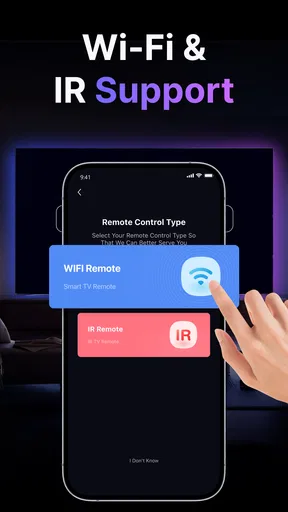
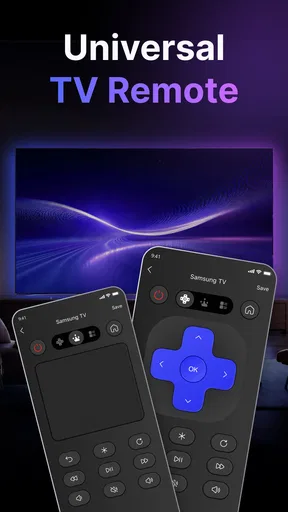
TV Remote Control - Smart TV is a mobile application designed to turn your Android or iPhone into a remote for compatible smart televisions. After installing it, you generally connect the phone and TV to the same Wi-Fi network, select the television from the available devices, and use on-screen buttons for navigation, volume, channel changes, playback, and other supported functions. Compatibility can vary by TV brand and model.
Which televisions are compatible with TV Remote Control - Smart TV?
Compatibility depends on the specific version of the app and the television’s operating system. Many applications of this type support popular smart TV platforms and brands, but not every model is guaranteed to work. Before downloading, check the app’s store description and compatibility list. Some older televisions may require an infrared-equipped phone, an external accessory, or may not support the app at all.
Does my phone and television need to use the same Wi-Fi network?
In most cases, both devices must be connected to the same local Wi-Fi network for the app to discover and control the television. Mobile data usually cannot replace this connection. If the TV does not appear, confirm that both devices are on the same network, disable guest-network isolation, restart the app, and check that the television is turned on and allows remote or network control.
Can this app replace the original physical remote control?
TV Remote Control - Smart TV can be a useful replacement for everyday functions such as power control, volume adjustment, channel switching, input selection, menu navigation, and media playback. However, the available controls depend on the television model and the app’s features. Certain specialized buttons, voice commands, smart-TV shortcuts, or setup functions may still require the original remote.
Is TV Remote Control - Smart TV free to use, and are there privacy concerns?
The application may be available to download for free, but some features can include advertisements, subscriptions, or in-app purchases depending on the platform and version. Review the store listing carefully before confirming payment. Because the app communicates with devices on your network, examine its requested permissions and privacy policy, and avoid granting access that does not appear necessary for remote-control functionality.


